
Cosmetic Wholesale Sync is our official WooCommerce plugin. It imports the catalog, keeps stock and price current, sends paid orders to us and writes tracking numbers back. It is free.
Requirements: WordPress 6.0+, WooCommerce 7.0+, PHP 7.4+.
1. Install
Either install from the WordPress.org plugin directory (search for Cosmetic Wholesale Sync), or upload the zip under Plugins → Add New → Upload.
Activate WooCommerce first — the plugin does nothing without it.
2. Configure
Open WooCommerce → Cosmetic Wholesale and fill in:
| Setting | Value |
|---|---|
| Catalog feed URL | From your Account page. Paste it without the token in the URL. |
| Token | Your account token, from the same page. |
| Margin % | Your retail markup, in percent. |
| Margin fixed | A fixed amount added on top, in euro. |
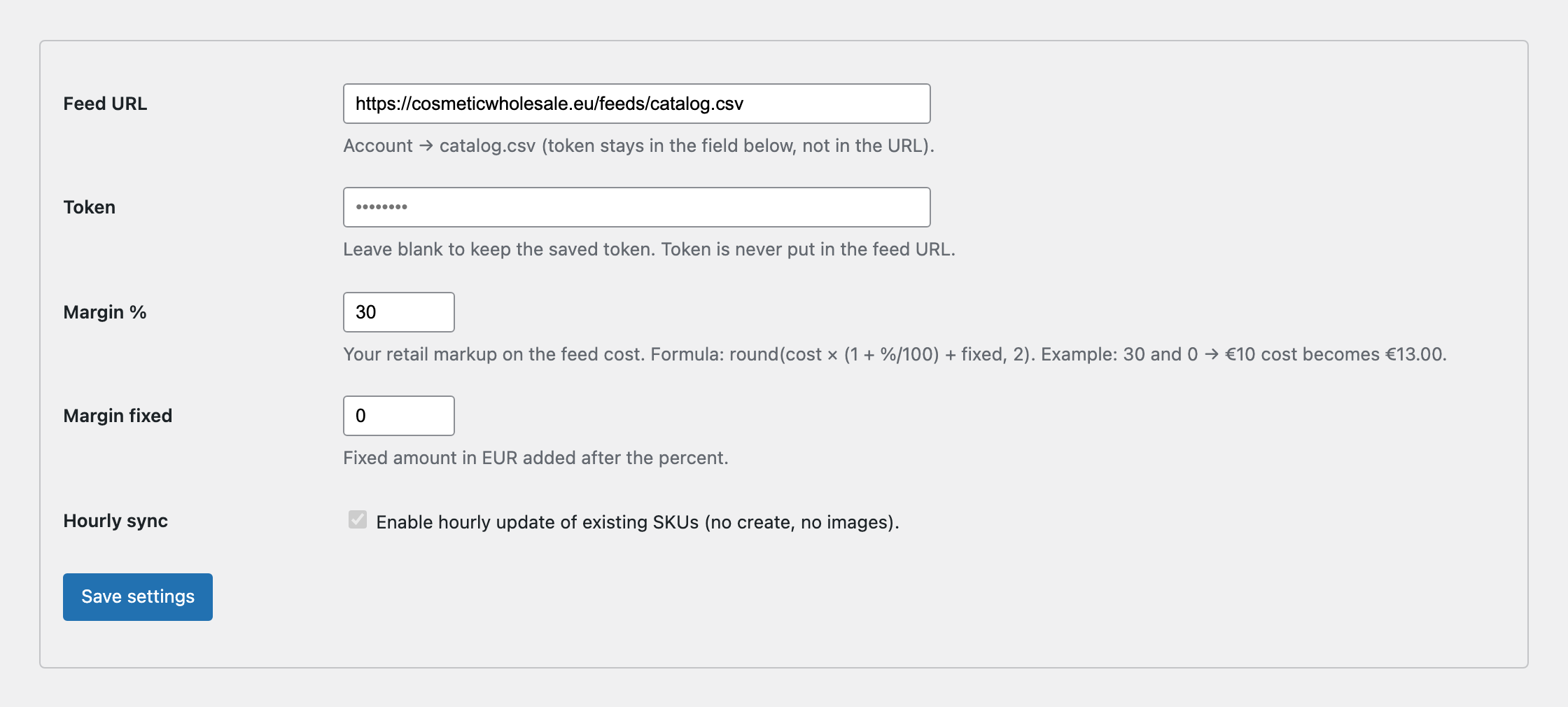
The retail price is calculated as:
regular_price = round(cost × (1 + margin% / 100) + fixed, 2)0 and 0 sell at our B2B cost. If you are migrating from the old 360 plugin, copy the same two numbers across so your prices do not jump.
Save the settings.
3. First import
Run First import. It creates the products that do not exist yet, using the EAN as the SKU.
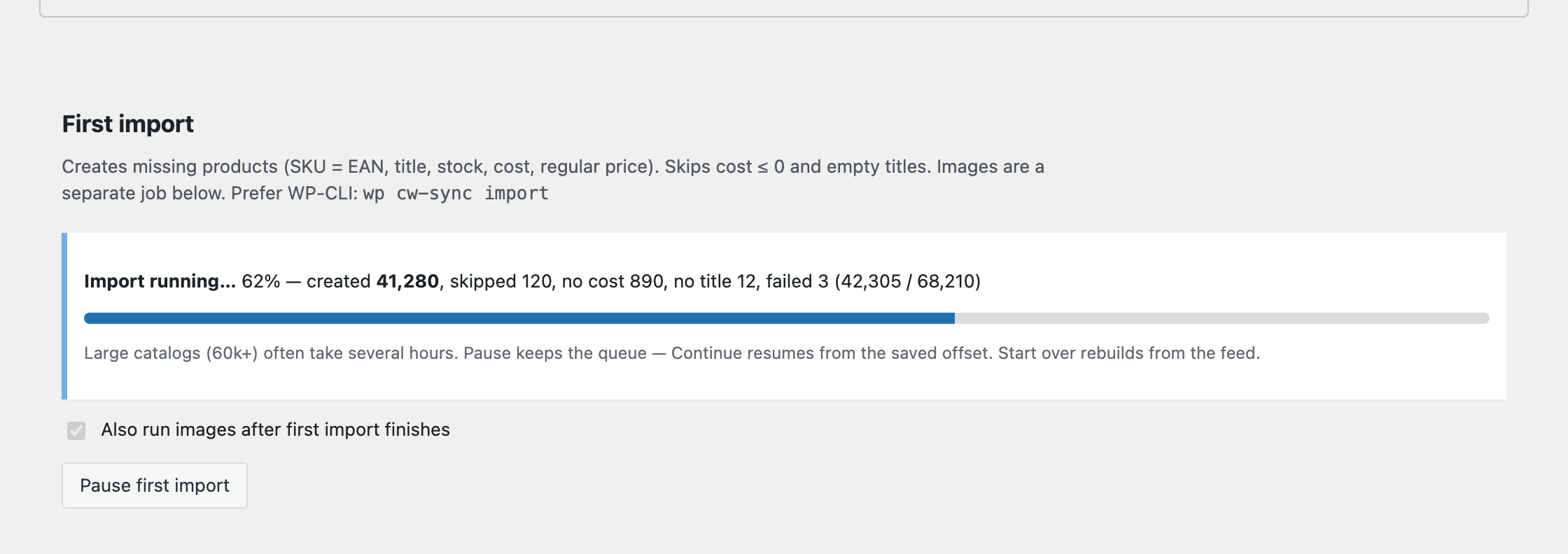
- Keep the browser tab open while it runs, or run it from the command line:
wp cw-sync import - If the run is paused or interrupted, use Continue (or
wp cw-sync importwithout--fresh). Start over rebuilds the queue from the feed. - Images are not downloaded during first import (the catalog is too large for that). Tick “Also run images after first import finishes”, or later use Images /
wp cw-sync images. Only products without a featured image get the feedimage_url. - Products without a cost price or without a title are skipped and counted separately.
- A full catalog of ~68,000 products commonly takes several hours on the first run. Later hourly updates are much faster.
4. Images
After the catalog is in place (or via the checkbox above), run Images. It sideloads feed image_url onto products that still have no featured image. It does not create SKUs.
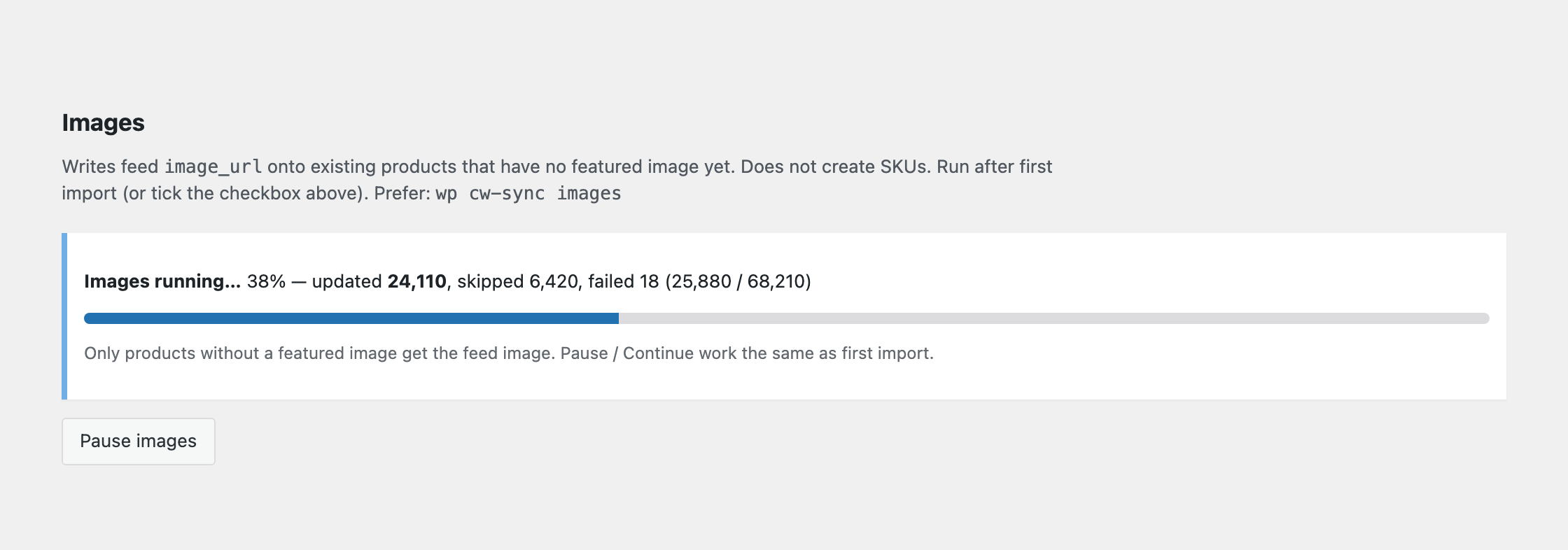
Prefer the button on the settings screen, or wp cw-sync images. Interrupted runs can Continue from the saved offset, same as first import.
5. Hourly sync
Leave hourly sync enabled. The hourly job updates stock and price for SKUs that already exist. It never creates products and never deletes your catalog if the feed request fails.
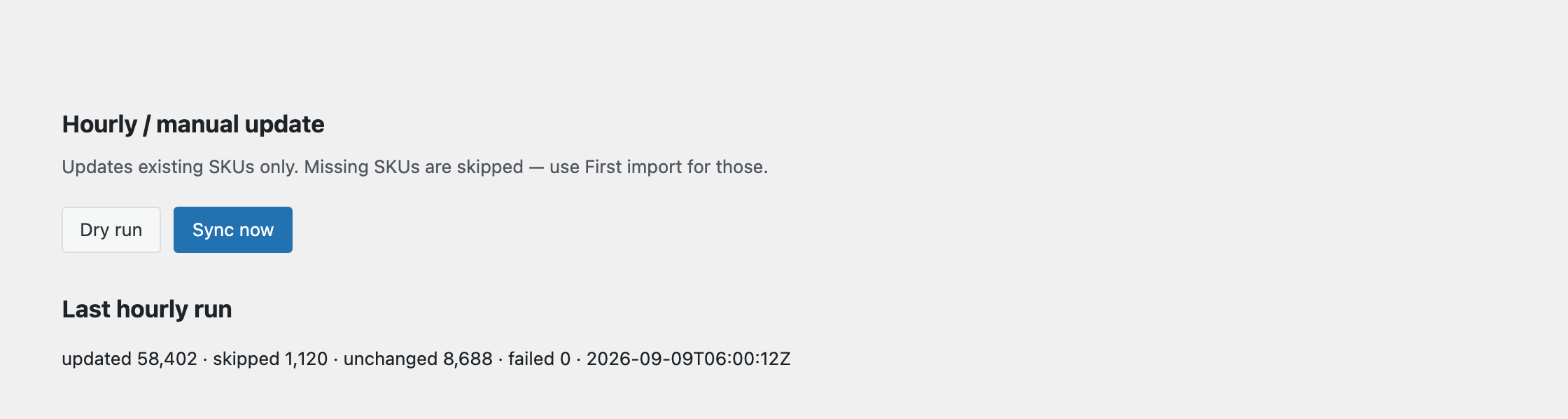
Before trusting it, use Dry run until you see updated > 0, and spot-check ten EANs against your previous source.
If you are moving off the old 360 plugin: do not run both on the same SKUs. Get one dry run green, then switch the 360 cron off. If something looks wrong, the old feed is still there to fall back on.
6. Orders
When a WooCommerce order reaches processing (the customer has paid), the plugin queues a POST to Cosmetic Wholesale. This happens in the background, not during checkout.
What you send: the shipping address, and the EAN plus quantity of each line. Nothing else.
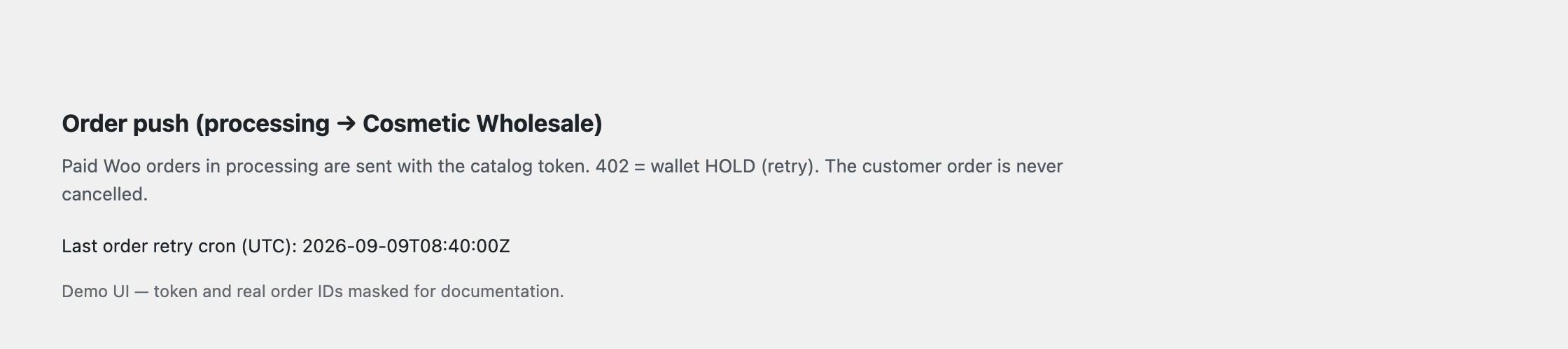
If your wallet is empty, the order is accepted by us and held. The WooCommerce order stays processing and the plugin retries roughly every ten minutes after you top up. The customer's order is never cancelled.
Tracking numbers are written back to the WooCommerce order once the parcel ships, and you can then complete the order.
Troubleshooting
Paid orders never arrive. Order push and the wallet retry both run on WP-Cron. If DISABLE_WP_CRON is set and no system cron is hitting wp-cron.php, orders sit in the queue silently. Check Last order retry cron (UTC) on the settings screen — if it is stale, that is your problem.
Prices look wrong after import. Check Margin % and Margin fixed. The formula applies to our cost price, not to your previous retail price.
Some products were skipped. The counters separate "no cost" from "no title". Both mean the feed row was incomplete for that EAN; they are usually items not available to your account.
Do I put OMS or warehouse passwords anywhere? No. The plugin only talks to Cosmetic Wholesale.
Uninstalling
Removing the plugin does not delete your imported products. Your catalog stays as it is.